Podcast Episode Checklist: From Pre-Recording to Publish
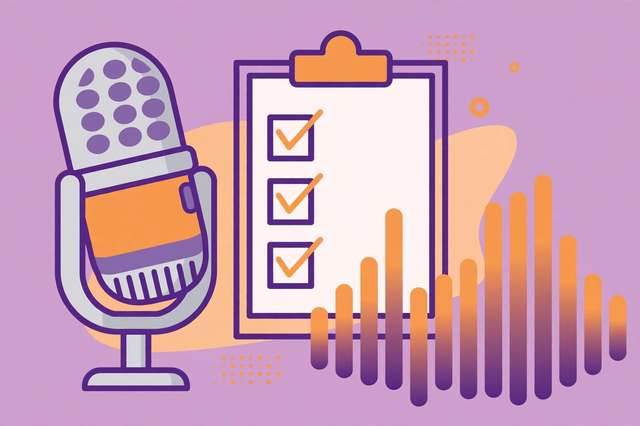
Great podcast episodes aren’t accidents — they’re checklists executed well. The difference between a show that grows and one that stalls usually isn’t talent; it’s the boring stuff done consistently: levels checked before recording, a backup running, loudness normalized, show notes published, and the episode actually promoted. This 28-point checklist covers the full episode lifecycle in six phases: pre-recording planning, recording setup, during recording, post-production, publishing, and promotion. New podcasters get a complete workflow to follow; experienced hosts get a safety net that catches the skipped step before it costs them an episode.
What’s inside this checklist
Six sections mirror the real order of episode production. Pre-recording locks the topic, title, outline, and guest logistics before anyone hits record. Recording setup covers the room, mic position, levels, and the backup recording that saves episodes. The during-recording section captures the on-mic habits — markers, room tone, energy — that make editing painless. Post-production walks through editing, noise reduction, loudness normalization to podcast standards, and export settings. Publishing covers titles, descriptions, artwork specs, and directory submission. Promotion closes the loop with clips, announcements, and guest outreach — because an unpromoted episode is an unheard one.
The 28-point episode checklist
- Episode topic and angle locked — one clear promise for the episode.
- Episode title drafted (under 60 characters, keyword included).
- Outline or bullet script written — talking points, not a word-for-word script.
- Guest confirmed: bio received, questions sent, recording link tested.
- Research done: facts checked, names pronounced correctly, sources bookmarked.
- Quiet room chosen — soft furnishings up, notifications and appliances off.
- Microphone 4-6 inches from mouth, slightly off-axis to avoid plosives.
- Pop filter on, headphones plugged in — no speaker monitoring.
- Test recording made and played back — levels peaking around -12 to -6 dB.
- Backup recording running (phone recorder or second app) — non-negotiable.
- Clap or say "marker" at mistakes for easy finding in editing.
- Record 10 seconds of room tone at the start for noise reduction.
- Re-record flubbed lines immediately instead of "fixing it in post."
- Keep energy 10% higher than feels natural — mics flatten enthusiasm.
- Edit out mistakes, long pauses, and filler using the recorded markers.
- Apply noise reduction with the room-tone sample, then light compression and EQ.
- Normalize loudness to -16 LUFS stereo / -19 LUFS mono.
- Add intro/outro music ducked under the voice, not competing with it.
- Export as MP3, 128 kbps minimum, with ID3 tags filled in.
- Episode title, description, and show notes finalized with links included.
- Episode artwork meets directory specs (3000x3000 px for Apple Podcasts).
- Uploaded to host; audio plays back correctly from the feed.
- Published and submitted to Apple, Spotify, and YouTube directories.
- One audiogram or clip cut for social media within 24 hours.
- Episode announced on all active channels with a direct listen link.
- Guest tagged and sent promo assets — guests are your best promoters.
- Next episode's topic chosen so momentum never stalls.
How to use this checklist
- Print it or keep it open in a second window during every recording session.
- Work it in order: never start recording until the pre-recording and setup sections are fully checked.
- Treat the backup recording and the test playback as hard gates — no exceptions, ever.
- After publishing, do the promotion section within 24 hours while the episode is fresh.
- Review which steps you skipped each month; the pattern shows where your workflow needs tightening.
Run this checklist ten episodes in a row and it becomes muscle memory — and your show will sound, look, and perform like it was made by a team twice your size.
Frequently asked questions
What audio settings should I export my podcast in? MP3 at 128 kbps minimum (192 kbps for music-heavy shows), normalized to -16 LUFS for stereo or -19 LUFS for mono. Always fill in ID3 tags so players display your title and artwork correctly.
Do I really need a backup recording? Yes — non-negotiable. One corrupted file or crashed app means a lost episode and possibly a lost guest. A phone voice memo running alongside your main recording costs nothing and has saved countless episodes.
How do I promote a new podcast episode? Cut one short clip or audiogram within 24 hours, post it everywhere with a direct listen link, and send assets to your guest — guests are consistently the best promoters a new show has.
Keep reading
50 Podcast Interview Questions Pack
50 podcast interview questions that get real answers: origin stories, craft, setbacks, decisions, money, community, future, and a quick-fire round. Free download.
Read more →
Livestream Equipment Checklist for Beginners
A free livestream equipment checklist for beginners: 30 steps covering software, connection, camera, lighting, audio, and going live with confidence.
Read more →
PDF Merge Order Checklist
A free PDF merge order checklist: 28 steps to combine PDFs in the right order, catch missing pages, and send a clean final file.
Read more →