PDF Naming Conventions for Teams: A Practical Checklist
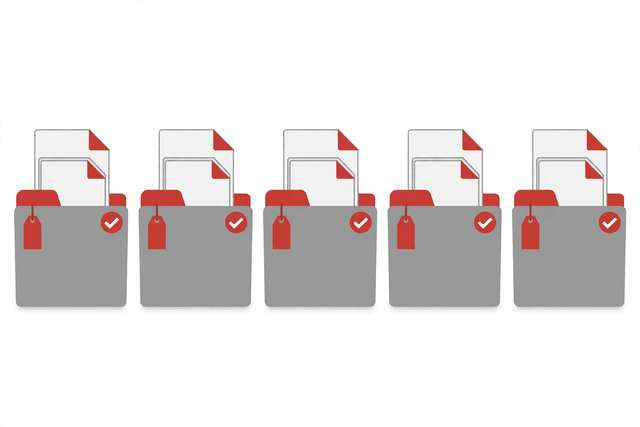
Every team has a shared drive full of “Report-FINAL-v2-updated(1).pdf” files, and every team wastes hours figuring out which one is actually current. Bad file names are not a cosmetic problem — they cause people to send the wrong version to clients, duplicate work, and lose documents that search cannot find. This checklist gives your team one naming convention everyone follows: a standard structure for project files, date formats that sort correctly, version numbering that ends the final-final chaos, and the search-friendly habits that make any PDF findable in seconds. Print it, pin it in your team channel, and retire “final_v2_REAL.pdf” forever.
What’s inside this checklist
The checklist covers the five pillars of team-ready filenames. The core structure (10 rules) defines the order every filename follows: date, project, document type, version, and status — so every file reads the same way. Date and version rules (6 rules) standardize YYYY-MM-DD formats and v1/v2 numbering, plus what to do with drafts and archived copies. Searchability rules (5 rules) keep filenames keyword-rich, lowercase, and hyphenated so your OS search and Google Drive actually find them. Client-facing rules (4 rules) cover what external recipients should see in a filename — professional, no internal codes. The enforcement section (5 rules) shows how to roll the convention out: the template email, the folder README, and the monthly five-minute audit. Operations managers, freelancers, and remote teams get the whole system on one page.
8 sample naming rules
A taste of the pack — the full 30-rule checklist with filename examples is in the free download below.
- Use YYYY-MM-DD at the start: 2026-10-22-client-proposal.pdf sorts itself.
- Never use "final" — use v1, v2, v3. The next version is always coming.
- Lowercase only, hyphens instead of spaces: client-proposal-acme.pdf
- Put the document type in the name: -proposal, -invoice, -report, -contract.
- One project code per file, always in the same position.
- Mark status clearly: -draft for work in progress, -approved when signed off.
- Client-facing files get clean names: no internal codes, no "copy-of".
- Archive old versions to a /archive folder instead of deleting them.
How to use this checklist
- Agree on the core structure as a team: date-project-type-version-status. Write it down where everyone can see it.
- Rename your current active files first — the mess in /archive can wait, but today’s working files should follow the convention immediately.
- Create the folder README (template in the download) that documents the convention for new team members.
- Set a five-minute monthly audit: one person scans for “final”, “copy of”, and duplicate names, and renames offenders.
- Add the naming rule to your onboarding checklist so new hires learn it on day one.
The convention only works if everyone follows it, so keep the rules short and the examples visible. Teams that post the cheat sheet in their shared drive adopt it within a week; teams that bury it in a wiki never do.
Frequently asked questions
What if a client sends us badly named files? Rename your working copy to your convention and keep the original filename noted in the file’s metadata or a README. Never send a badly named file back out — rename it before it leaves your team.
How do we handle filenames that are too long? Cap filenames at about 60 characters. Drop the least important element first — usually the date (it’s in the file metadata) or the project code (it’s in the folder name). Keep the document type and version, which are the parts people search for.
Does this apply to non-PDF files too? Yes. The same structure works for spreadsheets, images, and documents. Only the extension changes — the discipline is identical.
Download the full naming checklist
Keep reading

How to Build a Morning Routine That Actually Sticks (7-Day Starter Plan)
Build a morning routine that actually sticks: start tiny, stack habits, and follow a simple 7-day starter plan that survives real life.
Read more →
How to Remove Annotations and Comments from a PDF Online Free
Remove highlights, sticky notes, and comments from a PDF online free — clean up marked-up documents before sharing, without installing software.
Read more →
How to Validate a PDF File Online Free (Check for Corruption Before You Send It)
Validate a PDF online free: check for corruption, broken pages, and unreadable files before you send an important document — in seconds, in your browser.
Read more →