Logo Design Checklist for Small Business
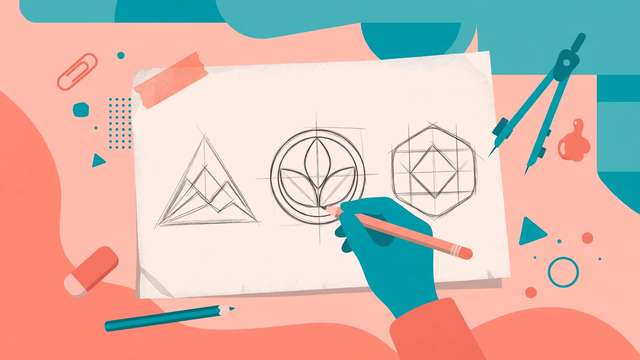
Your logo shows up everywhere — your website header, your Instagram avatar, your receipts, your packaging, maybe one day a storefront sign. Getting it right the first time saves you from an expensive, confusing rebrand two years from now. This checklist takes you through the whole process in four phases: briefing, design, review, and final files.
It is written for small business owners, whether you are designing the logo yourself, hiring a freelancer, or briefing an agency. The items are concrete and checkable — no vague advice like “make it memorable.” Work through them in order, and by item 25 you will have a logo that works at every size, in every context, and you will own every file you need.
What the 25 checklist items cover
The briefing phase (items 1-7) happens before any drawing. This is where most bad logos are born — skipping the brief is how you end up with a logo that looks fine but says nothing about your business. You will define your brand in one sentence, pick adjectives, study competitors, and lock down colors and typography direction.
The design phase (items 8-14) covers the craft itself: designing big and testing small, keeping the mark simple enough to work in one color, building horizontal and stacked versions, and reserving proper clear space. The review phase (items 15-20) is your quality gate — outsider feedback, the squint test, real-world mockups, and a trademark check. The final files phase (items 21-25) makes sure you walk away with vector masters, transparent PNGs, color codes, and a backed-up brand folder.
The logo design checklist
Phase 1: Briefing
- Write a one-sentence brief: what the business does and exactly who it serves.
- List 3-5 brand adjectives the logo must communicate (e.g. friendly, premium, playful, trustworthy).
- Study 5 competitor logos — note what works, what looks generic, and what to avoid.
- Decide every place the logo will appear (website, packaging, social, signage) before designing starts.
- Pick 2-3 brand colors and write down their hex codes for consistent use.
- Choose a typography direction: serif, sans-serif, script, or custom lettering.
- Collect 3 inspiration references for style direction — inspiration, not copying.
Phase 2: Design
- Design at large size first, then check it still reads clearly at 32 pixels (the favicon test).
- Keep the mark simple: it must work in a single color and in pure black.
- Confirm it scales down to business-card and app-icon sizes without losing detail.
- Avoid stock icons and visual cliches (generic swooshes, globes, clip-art) unless heavily reworked.
- Check the logo works reversed in white on dark backgrounds.
- Create a horizontal version and a stacked version for different layouts.
- Leave proper clear space around the logo — at least the height of one letterform on all sides.
Phase 3: Review
- Show it to 5 people outside your industry and ask what kind of business they think it is.
- Ask what the logo makes them feel — the answer should match your brand adjectives from the brief.
- Run the squint test: blur your eyes — it should still be distinct from competitor logos.
- Test it in real mockups: website header, social avatar, printed receipt, and a sign if relevant.
- Sleep on it for 24 hours before approving — first impressions are honest and second looks are too.
- Check for trademark conflicts with a quick search of your country's trademark database.
Phase 4: Final files
- Get vector master files: SVG and PDF (plus AI or EPS if your designer provides them).
- Get transparent-background PNGs at 300, 1024, and 2048 px widths.
- Get a monochrome one-color version for stamps, engraving, and single-color printing.
- Record your brand color codes (HEX, RGB, CMYK) and font names in one brand sheet.
- Store everything in a "Brand files" folder with a cloud backup — you will need these for years.
How to use this logo design checklist
- Start with the briefing phase and finish all 7 items before sketching or opening any design tool.
- If you are hiring a freelancer, hand them your completed briefing answers — it cuts revisions in half.
- During design, re-check items 8-14 every time you revise; they are the quality bar, not a one-time pass.
- Do not skip the review phase, even for a DIY logo — outside eyes catch what familiarity hides.
- Save the downloadable checklist with your brand folder so future redesigns start from the same standard.
A good logo is not the fanciest one — it is the one that is clear at any size, honest about your business, and delivered in files you actually own. Work the checklist in order and you will avoid the two most expensive logo mistakes: rebranding too soon, and discovering you cannot print your own mark. Grab the printable checklist below to keep beside you while you work.
Frequently asked questions
How much should a small business budget for a logo? Anywhere from $0 to $2,000+ depending on your route. A careful DIY logo using a template tool can be free; a freelancer typically charges $100-$500 for a solid small-business logo; an agency starts around $1,000. This checklist works at any budget — the briefing and review steps matter more than the price tag.
Can I design my own logo or should I hire someone? You can design your own if you follow the briefing and testing steps in this checklist — many successful small businesses do. Hire a designer when the logo will appear on packaging, signage, or products where quality is visible, or when you keep getting stuck on options that all look amateur. Either way, run the review phase before committing.
What file formats should I get from my logo designer? At minimum: a vector master (SVG or PDF) that scales to any size without blurring, transparent PNGs at several widths (300, 1024, 2048 px), a one-color black version, and a white reversed version for dark backgrounds. Plus your brand color hex codes (HEX, RGB, CMYK) and font names written down in one brand sheet.
Download the Logo Design Checklist for Small Business
Keep reading
50 Logo Color Combination Ideas
50 logo color combination ideas with hex codes: two-color and three-color palettes for brands, from classic navy and gold to bold coral and charcoal.
Read more →
50 AI Image Prompts for Blog Headers
50 copy-paste AI image prompts for professional blog headers: photography, flat lay, abstract, illustrations, and minimal styles that match your article.
Read more →
Social Media Image Size Chart 2026
Free 2026 social media image size chart: exact dimensions for profile photos, covers, posts, stories, and thumbnails on every major platform.
Read more →