Social Media Image Size Chart 2026
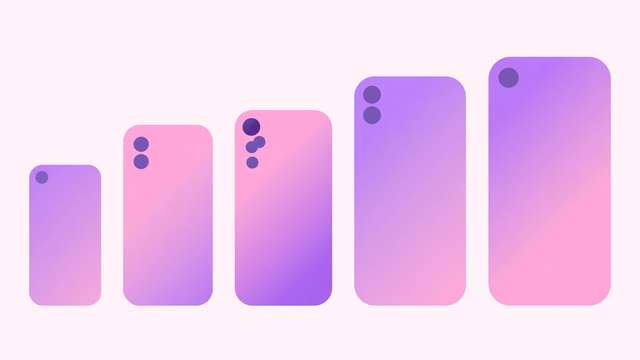
Nothing undermines a good post like a cover photo with the headline cut off or a profile picture cropped into a blurry circle. Every social platform has its own image dimensions, and they change quietly — upload last year’s sizes and the platform decides what to crop. The fix takes seconds: check the chart, export at the right size, upload once.
This free chart gives you the 2026 dimensions for every image type that matters: profile photos, covers, feed posts, stories, and thumbnails across nine platforms. It is written for creators, freelancers, small businesses, and social media managers who need a single reliable reference. Each entry is one clear line with the exact pixels and aspect ratio, plus a copy button for your design notes.
What’s inside this image size chart
The chart covers Facebook, Instagram, X, LinkedIn, YouTube, TikTok, Pinterest, WhatsApp, and general web use — 42 image types in total. For each one you get the recommended pixel dimensions, the aspect ratio, and a short note on the common cropping trap to avoid, like safe zones on covers and text placement on stories. Use it when exporting from your design tool so every upload lands exactly as intended.
The full 2026 social media image size chart
Sizes are in pixels (width x height). When a platform lists a minimum, exporting larger at the same aspect ratio is fine.
- Profile photo: 720x720 (1:1) — displays as a circle, so keep faces and logos centered.
- Cover photo: 1640x924 (16:9) — keep key content in the center safe zone, away from edges.
- Feed post image: 1200x630 (1.91:1) for links, 1080x1350 (4:5) for portrait posts.
- Story: 1080x1920 (9:16) — keep text inside the central 1080x1420 safe zone.
- Event cover: 1920x1080 (16:9) — the standard wide banner for event pages.
- Profile photo: 720x720 (1:1) — displays at 110px, cropped to a circle.
- Feed portrait post: 1080x1350 (4:5) — the tallest format, best for reach.
- Feed square post: 1080x1080 (1:1) — the classic Instagram format.
- Feed landscape post: 1080x566 (1.91:1) — use only when the image demands width.
- Story and Reel: 1080x1920 (9:16) — full-screen vertical, watch the top and bottom UI overlays.
- Reel cover thumbnail: 1080x1920 (9:16) — but the grid preview crops to 1080x1350.
- Highlight cover: 1080x1920 (9:16) — displays as a small circle, keep icons centered.
X (Twitter)
- Profile photo: 800x800 (1:1) — displays as a circle at 400px.
- Header image: 1500x500 (3:1) — the profile photo overlaps the bottom-left corner.
- In-feed post image: 1200x675 (16:9) landscape or 1080x1350 (4:5) portrait.
- Card/link preview image: 1200x628 (1.91:1) — keep text clear of the edges.
- Profile photo: 800x800 (1:1) — displays as a circle, use a clear headshot.
- Profile cover: 1584x396 — wide and short, keep text in the left two-thirds.
- Company page logo: 600x600 (1:1) minimum — displays small, keep it simple.
- Company page cover: 1128x191 — very wide, design for the extreme crop.
- Feed post image: 1200x627 (1.91:1) landscape or 1080x1350 (4:5) portrait.
YouTube
- Channel art: 2560x1440 — the safe area visible on all devices is the central 1546x423.
- Channel profile photo: 800x800 (1:1) — displays as a circle at 98px.
- Video thumbnail: 1280x720 (16:9) — the single highest-CTR image you will ever design.
- Shorts thumbnail frame: 1080x1920 (9:16) — picked from the vertical video itself.
TikTok
- Profile photo: 720x720 (1:1) — displays as a circle, keep it bold and simple.
- Video: 1080x1920 (9:16) — full-screen vertical is the only format that matters.
- Video cover: 1080x1920 (9:16) — keep the title in the upper-middle safe zone.
- Profile photo: 800x800 (1:1) — displays as a circle at 165px.
- Standard pin: 1000x1500 (2:3) — the ideal ratio Pinterest recommends.
- Square pin: 1000x1000 (1:1) — acceptable, but tall pins perform better.
- Board cover: 800x800 (1:1) minimum — pick a cover that represents the board's theme.
- Profile photo: 640x640 (1:1) — displays as a circle, keep the subject centered.
- Status: 1080x1920 (9:16) — full-screen vertical, same as other stories.
General web use
- Open Graph share image: 1200x630 (1.91:1) — the standard for link previews everywhere.
- Favicon: 512x512 source, exported down to 32x32 and 16x16 — design simple enough to read tiny.
- Blog hero image: 1600x900 (16:9) — crisp on desktop without bloating page weight.
How to use this image size chart
- Find your platform and image type in the chart before you start designing — not after.
- Set your canvas to the exact pixel dimensions, and mark the safe zones noted for covers and stories.
- Export as JPG for photos and PNG for graphics with text or transparency, keeping files under the platform’s size limit.
- Upload and check the result on both desktop and mobile — cropping differs between the two.
- Re-check this chart once a year; platforms quietly change dimensions and the chart will be updated to match.
The 80/20 of social images: profile photos, covers, and thumbnails are the three images people judge you by, and they are the three most often uploaded at the wrong size. Get those three right on the platforms you actually use, and the rest is polish.
Frequently asked questions
What happens if I upload the wrong image size? The platform resizes or crops your image automatically to fit its frame — usually by cutting off the edges, which is exactly where text and logos tend to sit. The result looks amateur even when the design was good. Uploading at the recommended dimensions keeps every element exactly where you placed it.
Do these sizes change often? Major platforms adjust dimensions every year or two, and 2026 brought small updates to several story, cover, and thumbnail formats. The aspect ratios change less often than the pixel counts. Check the sizes for your most-used platforms once a year, and any time a new upload looks unexpectedly cropped.
What file format should I use for social images? JPG for photographs — it compresses well and every platform accepts it. PNG for graphics with text, logos, or transparency, where JPG artifacts would show. Keep files under each platform’s upload limit, usually 8 to 30 MB, and export at the chart’s dimensions rather than uploading something huge and hoping for the best.
Download the Social Media Image Size Chart 2026
Keep reading

50 AI Image Prompts for Blog Headers
50 copy-paste AI image prompts for professional blog headers: photography, flat lay, abstract, illustrations, and minimal styles that match your article.
Read more →
Logo Design Checklist for Small Business
A 25-step logo design checklist for small business owners — briefing, design, review, and final file delivery, grouped so nothing gets missed.
Read more →
100 Color Palette Hex Codes for Designers
100 designer-approved color palettes with hex codes — sunsets, oceans, neons, pastels, neutrals, and brand palettes, free to copy and use anywhere.
Read more →