X (Twitter) Header Size 2026: Exact Dimensions + Free Resizer
Your X header is the billboard above your profile — the first thing visitors see, and prime branding real estate. But X is unforgiving about dimensions: upload the wrong size and your carefully designed banner arrives blurry, cropped, or with your logo hiding behind your profile picture. Here are the exact 2026 dimensions, the safe-area rules nobody tells you about, and the fastest free way to get any image to fit perfectly.
The exact X header dimensions
| Spec | Value |
|---|---|
| Recommended size | 1500 × 500 px |
| Aspect ratio | 3:1 |
| Minimum usable | 1024 × 342 px (will look soft) |
| Max file size | 2 MB (larger uploads may fail) |
| Best formats | JPG (photos), PNG (text/logos) |
Upload at exactly 1500 × 500. X does not upscale gracefully — a 1024-wide image stretched to fill the header looks noticeably soft on desktop. Starting at the recommended size keeps text crisp and photos sharp on every screen.
For reference, the other X image specs you will touch: profile picture 400 × 400 px (displayed as a circle), in-stream images 1600 × 900 px (16:9).
The safe area: what actually stays visible
Here is the part most size guides skip: X does not show your whole header on all devices. The visible area changes between desktop, mobile, and the profile overlay:
- Keep critical content in the center. Place logos, headlines, and faces in the middle ~60% of the banner width. Edges get cropped on narrower screens.
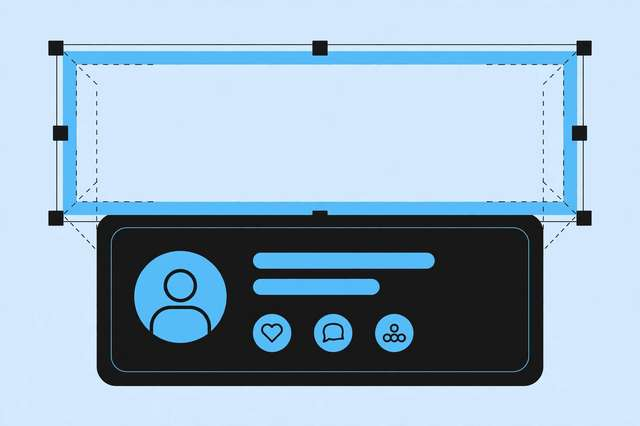
- Watch the bottom-left. Your circular profile picture overlaps the header’s bottom-left corner — roughly a 200 × 200 px zone at 1500 × 500 scale. Never put text or faces there.
- Top strip caution. On some views the top ~50 px can sit close to browser chrome. Keep the top edge decorative, not informational.
- Test on mobile. Over half of X browsing is mobile, where the header displays shorter. Preview your profile on your phone after uploading — it takes ten seconds and catches most cropping surprises.
A simple mental model: design as if only the center 900 × 400 px is guaranteed, and treat everything outside it as bleed.
Design tips for a header that works
- One message. A header is glanced at for two seconds — one tagline, one logo, one visual. Banners crammed with text get ignored.
- Match your brand colors to your profile picture and pinned post for a coherent profile.
- Leave breathing room. Text needs padding from edges; cramped text looks amateur even at perfect dimensions.
- Dark or light? Dark headers make white profile pictures pop and look premium; light headers feel open and friendly. Either works — pick one and commit.
- Update seasonally. Product launch, event, holiday — a fresh header signals an active account. Keep the master file so updates take minutes.
Resize any image to X header size free
Have a photo or design that is not 1500 × 500? Do not just upload it and hope — X’s auto-crop will center-crop unpredictably. Our free X/Twitter header resizer handles it properly in your browser:
- Upload your image — any size, JPG or PNG.
- Crop to the 3:1 ratio with the visual cropper, positioning the frame over the part that matters (keeping the safe area in mind).
- Export at 1500 × 500 and upload directly to X → Edit profile → header photo.
No sign-up, no watermark, and your image never leaves your device. One pass through the resizer beats three rounds of upload-check-delete on your live profile.
Header ideas by account type
Stuck on what to actually put in the banner? Match the content to your account’s job:
- Personal / creator: a photo of you at work, your tagline, and your posting schedule (“New videos every Tuesday”). Faces build recognition.
- Business / brand: product shot or lifestyle image, logo, and one value proposition. Keep it consistent with your website hero.
- Freelancer / portfolio: your best work as a collage strip plus your services and a contact handle. Your header is a mini landing page.
- Community / project: the project’s logo, its mission in five words, and the current milestone (“v2.0 out now”).
Whatever the type, design at 1500 × 500 in any free editor (Canva, Photopea, Figma) using a 3:1 canvas — starting at the right aspect ratio means zero cropping surprises later.
Upload checklist
Before you hit save on your X profile:
- Image is exactly 1500 × 500 px
- File is under 2 MB
- Key content sits in the center safe area
- Nothing important in the bottom-left (profile photo overlap)
- Text is readable at a glance — no tiny fonts
- Checked the live profile on both desktop and mobile
Get those six right and your header looks sharp everywhere X displays it.
Frequently asked questions
What is the X (Twitter) header size in 2026? The recommended X header size is 1500 x 500 pixels (3:1 aspect ratio). Upload at exactly this size for the sharpest result on all devices.
Why does my X header look blurry or cropped? Blur comes from uploading a low-resolution image that X upscales; cropping comes from wrong aspect ratios or placing key content outside the center safe area. Upload a 1500x500 image with important content centered.
What file format is best for an X header? JPG for photos and gradients, PNG for graphics with text or logos. Keep it under 2MB for reliable uploading.
How do I resize an image to X header size for free? Use a free resizer: upload any image, crop to the 3:1 ratio, and export at 1500x500. Our tool at /tools/resize-for-x-twitter-header/ does this in your browser with no sign-up.
Keep reading

100 Instagram Caption Templates for Photos
100 Instagram caption templates for photos: travel, food, nature, friends, work, home, celebrations, fitness, style, and seasons. Free download.
Read more →
Image Size Cheat Sheet for Every Social Platform (2026)
Every social media image size for 2026 in one cheat sheet: Instagram, Facebook, X, YouTube, TikTok, LinkedIn, and Pinterest with pixels and ratios.
Read more →
How to Split an Image into an Instagram Grid (Free, No Cropping Guesswork)
Split any photo into a perfect Instagram grid free. 3x3 puzzle feeds, carousels and banner grids — exact squares, no cropping guesswork.
Read more →