RunPod Network Volumes Explained: Persistent Storage for Cloud GPUs (2026)
Here is the mistake almost every RunPod beginner makes once: you rent a GPU pod, spend three hours downloading a 40GB model and your training dataset, run your experiment, stop the pod to save money — and the next day everything is gone. The model, the dataset, your checkpoints. All of it.
That happens because a pod’s built-in disk is ephemeral: it exists only while the pod lives. RunPod’s answer is Network Volumes — persistent storage that survives pod shutdowns, restarts, and terminations. This guide explains how they work, when you actually need one, what they cost, and how to set one up in a few minutes.
Why pods lose your files
A RunPod pod is a container running on a rented GPU server. Its container disk is temporary scratch space tied to the pod’s lifecycle:
- Stop the pod → the disk is wiped.
- Terminate the pod → the disk is wiped.
- Spot pod gets interrupted → the disk is wiped, with no warning.
This is by design — ephemeral disks keep GPU pricing low — but it means any file you care about must live somewhere persistent. Your options are: download everything every time (slow and expensive in GPU-hours), push to external storage like S3 (extra setup), or attach a Network Volume (the built-in answer).
What a Network Volume is
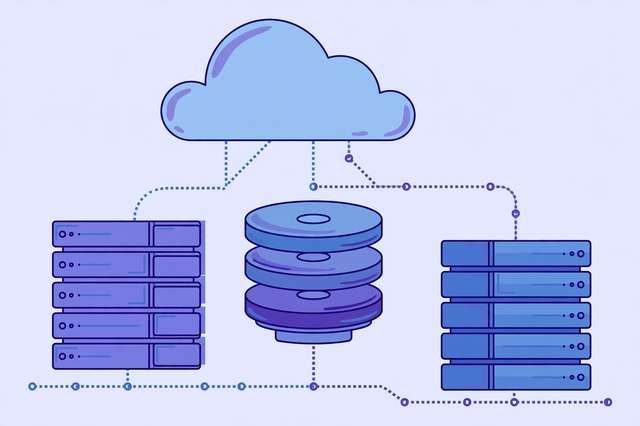
A Network Volume is network-attached persistent storage in RunPod’s datacenter. Think of it as a USB drive that lives in the cloud next to your GPUs:
- Persistent. It exists independently of any pod. Create it once, attach it to pods whenever you rent them, detach when you are done — the files stay.
- Region-bound. A volume lives in one datacenter. Pods in the same region can attach it; pods in other regions cannot.
- Shareable. Multiple pods can mount the same volume at once, which is ideal for a shared dataset or a library of model weights that several experiments read from.
- Resized anytime. Start small and grow the volume as your data grows, without recreating it.
Common things people keep on Network Volumes: downloaded model weights (Stable Diffusion checkpoints, LLM weights), training datasets, training checkpoints worth resuming from, and code or notebooks they iterate on across sessions.
Network Volumes vs. container disk: when to use each
| Container disk | Network Volume | |
|---|---|---|
| Survives pod stop | No | Yes |
| Speed | Faster (local) | Slightly slower (network) |
| Cost | Included with pod | Billed per GB-month, always on |
| Best for | Scratch, caches, temp outputs | Models, datasets, checkpoints, code |
The practical pattern most experienced users settle on: Network Volume for everything you would be sad to re-download, container disk for everything else. Training writes checkpoints to the volume; pip caches and temp files stay on the container disk where they are fast and free to lose.
What Network Volumes cost
Network Volumes are billed per gigabyte per month for as long as the volume exists — whether or not a pod is attached. The rate is a few cents per GB-month (check RunPod’s pricing page for the current number, since it can change).
Do the math before you hoard: 500GB of volume storage costs roughly the same as a few hours of a mid-range GPU per month. That is cheap insurance against re-downloading a 100GB dataset, but it is not free — delete volumes holding data you no longer need, and do not keep a volume full of files “just in case” for a year.
The golden rule: keeping a volume alive is always cheaper than keeping a GPU pod running just to hold files. If you catch yourself leaving a pod on overnight “so I don’t lose the downloads,” that is exactly the problem a Network Volume solves.
Setting up a Network Volume in minutes
- Create the volume. In the RunPod console, go to Storage → Network Volumes and create one. Pick the datacenter/region where you rent your pods, choose a size you can grow later, and give it a clear name like
models-and-datasets. - Attach it when launching a pod. In the pod deployment screen, expand the storage section and attach your volume, choosing a mount path like
/workspace/volume. The volume appears as a normal folder inside the pod. - Put the right files there. Download model weights, datasets, and code into the mounted path. Write training checkpoints to it. Keep caches and logs on the container disk.
- Detach by stopping the pod. When you stop or terminate the pod, the volume detaches automatically and your files persist. Next session, attach the same volume and everything is where you left it.
- Clean up periodically. List what is actually on the volume every few weeks. Stale experiment outputs are the number-one source of surprise storage bills.
One gotcha: regions and transfers
A volume can only attach to pods in its own datacenter, so choose the region where you actually rent GPUs — creating a volume in a region with no GPU availability for your card is a classic beginner trap. If you later need the data elsewhere, you will copy it over the network (or re-download), so getting the region right on day one saves real hassle.
If you do not have a RunPod account yet, you can sign up for RunPod here{:rel=“sponsored nofollow”}. Disclosure: this is an affiliate link — if you sign up and spend your first $10, we each receive a randomized $5–$500 in RunPod credits (credits, not cash; they expire after 90 days).
Network Volumes are the difference between renting GPUs confidently and re-downloading your life every session. Create one before your next training run, and the 2 AM “where did my files go” moment never happens again.
Frequently asked questions
Do RunPod pods keep my files after I stop them? No. A pod’s container disk is ephemeral — stopping or terminating the pod wipes everything on it. To keep files, attach a Network Volume, which persists independently of any pod.
How much does RunPod Network Volume storage cost? Network Volumes are billed per GB per month while they exist, regardless of whether a pod is attached. It is typically a few cents per GB-month — far cheaper than keeping a GPU pod running just to hold files. Check RunPod’s pricing page for the current rate.
Can multiple pods use the same Network Volume? Yes, a Network Volume can be attached to multiple pods in the same region and datacenter, which makes it handy for shared datasets or model weights across experiments.
Is a Network Volume the same as pod container storage? No. Container disk is fast local scratch space that disappears when the pod stops. A Network Volume is persistent network-attached storage that survives pod restarts, terminations, and even region moves within the same datacenter.
Keep reading

How to Run Whisper Speech-to-Text on a Rented Cloud GPU
Run OpenAI Whisper on a rented cloud GPU: pick the right GPU, launch a pod, transcribe hours of audio fast, and keep costs low.
Read more →
RunPod vs Paperspace vs Lambda: Best GPU Cloud for Solo Builders in 2026
RunPod vs Paperspace vs Lambda compared for solo builders: pricing models, GPU availability, ease of use, and which cloud fits your project.
Read more →
How to Fine-Tune an LLM with LoRA on RunPod: A Cheap GPU Guide for 2026
Fine-tune any LLM with LoRA on a cheap RunPod GPU: pick a pod template, launch JupyterLab, train with Unsloth, then merge and export your adapter step by step.
Read more →