How to Test Your Typing Speed Online Free (WPM Guide)
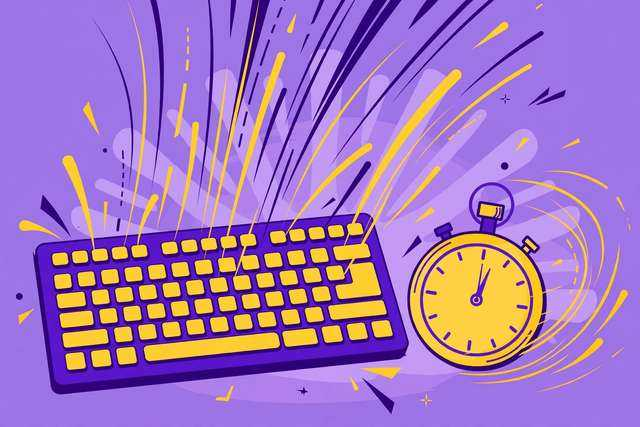
Your typing speed quietly taxes or subsidizes everything you do on a computer. At 30 WPM, writing a one-page email takes 15 minutes of pure typing; at 70 WPM, it takes six. Over a career, that difference is thousands of hours. The good news: typing speed is one of the most trainable skills there is, and measuring it takes 60 seconds. Here is how to test yours free, what the numbers mean, and how to actually get faster.
How to test your typing speed (60 seconds)
- Open our free typing speed test — no signup, works in any browser.
- Click start and type the passage shown, exactly as written.
- After one minute you get your WPM, accuracy %, and error count.
- Take it 2–3 times and average the results — first attempts are always noisy.
Longer tests (3–5 minutes) measure sustained speed more honestly, but the 1-minute test is the standard everyone compares against.
What WPM means (and the benchmarks)
WPM = words per minute, where one “word” is standardized as 5 characters including spaces. So 300 characters typed correctly in 60 seconds = 60 WPM. There are two flavors:
- Gross WPM: everything you typed, errors included
- Net WPM: gross minus an error penalty — this is the number that counts
Benchmarks for context:
| Level | WPM | Who |
|---|---|---|
| Beginner | 20–30 | Hunt-and-peck typists |
| Average adult | ~40 | Most casual computer users |
| Competent office | 50–60 | Typical admin/data-entry expectation |
| Fast | 70–80 | Writers, developers, support staff |
| Professional | 90–110 | Transcriptionists, court reporters in training |
| Elite | 120+ | Competitive typists |
Accuracy is the hidden multiplier. 60 WPM at 98% accuracy is far more useful than 90 WPM at 85% — every error costs backspace time plus the mental break in flow. Employers hiring for typing roles typically demand 95%+ accuracy minimums. If your accuracy is under 92%, speed training is premature: fix accuracy first.
Why you are slower than you could be (the usual culprits)
- Looking at the keyboard. Every glance breaks rhythm and forces re-orientation. This alone costs most people 10–20 WPM.
- Wrong finger placement. If your index fingers do all the work, your hands travel too far. Touch typing assigns each finger a zone.
- Tension. Hunched shoulders and pounding keys cause fatigue within minutes. Speed comes from relaxation, not force.
- Inconsistent practice. One long session a month does nothing; ten minutes daily rewires muscle memory in weeks.
How to actually get faster: the training plan
Week 1–2: accuracy lockdown. Slow down to whatever speed gives you 98%+ accuracy. This feels painfully slow — that is the point. Your fingers are learning correct paths.
Week 3–4: touch typing. If you do not touch-type, learn home-row positioning (fingers on ASDF JKL;, thumbs on space). Free lessons exist everywhere; the first week is the only hard part.
Week 5+: deliberate drills. Do not just retype random passages. Drill:
- Your 10 most-missed keys and bigrams (th, er, on, an)
- Common words at speed: the, and, that, have, with
- Numbers and symbols if your work needs them — most people never practice these and they crater real-world speed
The 10-minute daily rule. Short daily sessions beat weekend marathons because typing is motor learning — sleep consolidates it. Retest weekly on the typing speed test and track net WPM plus accuracy. Expect 5–10 WPM per month of consistent practice; plateaus around 60–70 WPM are normal and break with targeted weak-key drills.
Ergonomics: the speed you are leaving on the table
Technique is not just fingers. Your setup caps your speed more than most people realize:
- Keyboard height: wrists should float straight, not bend up or down. A keyboard tray or a low desk beats stacking books under a laptop.
- Chair and posture: feet flat, back supported, screen at eye level. Slouching compresses your shoulders and slows your hands within minutes.
- Key switches matter: mushy laptop keyboards and cheap membranes slow you down and increase errors. You do not need an expensive mechanical board — but a keyboard with crisp, consistent key travel helps.
- Take micro-breaks. Hands are small muscles; 50 minutes of typing followed by a 5–10 minute break sustains higher speeds across a workday than grinding through fatigue.
Ignore ergonomics and you do not just type slower — you risk repetitive strain injuries that stop you typing entirely. Speed built on tension is borrowed time.
Frequently asked questions
How can I test my typing speed for free?
Use our free typing speed test: type the displayed passage for one minute and get your WPM, accuracy, and error count instantly. No signup, no cost, unlimited attempts — your results stay in your browser.
What is a good typing speed in WPM?
40 WPM is the average for most adults. 60+ WPM is solid for office work, 80+ is genuinely fast, and 100+ puts you in professional territory. Accuracy matters more than raw speed — 60 WPM at 98% accuracy beats 90 WPM at 85%.
How is WPM actually calculated?
One “word” is standardized as 5 characters including spaces. Type 300 correct characters in a minute and that’s 60 WPM. Most tests also report raw vs net WPM — net subtracts a penalty for errors, which is the number that matters.
How can I increase my typing speed?
Fix accuracy first (slow down until errors vanish), learn proper touch-typing finger placement if you haven’t, practice in short daily sessions rather than marathons, and drill your weakest keys and common words deliberately.
Keep reading
How to Compress a PDF to 1MB Online Free
Compress a PDF to 1MB or less online free — shrink oversized PDFs for email, uploads, and forms without readable quality loss.
Read more →
How to Send a PDF on WhatsApp Without Losing Quality
Send a PDF on WhatsApp without losing quality — as a document, not a photo. Avoid compression, size limits, and blurry pages.
Read more →
How to Set an Alarm Online Free (No App Needed)
Set an alarm online free with no app or download — how browser alarms work, keeping the tab alive, and a free online alarm clock tool.
Read more →