How to Add Fade In and Fade Out to Audio Online Free
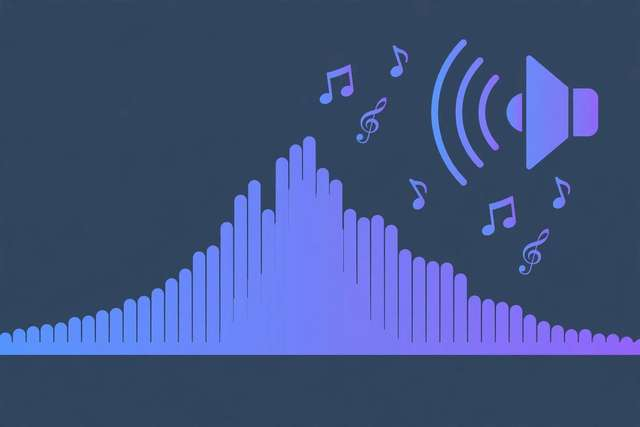
That abrupt, chopped-off ending. That recording that starts mid-sentence at full volume. These are the two fastest ways to make audio sound amateur — and the two easiest to fix. A fade in and fade out smooths the volume at the edges of your audio so everything starts and ends gracefully.
With our free audio fade editor, you can add professional fades to any audio file in seconds — right in your browser, with no software to install, no signup, and no cost. Your file never leaves your device.
What fades do (and why they matter)
A fade-in ramps the volume up gradually from silence, so the listener’s ear has a moment to adjust. A fade-out ramps it down to silence, so the ending feels intentional instead of accidental.
Professional audio uses fades everywhere: songs fade out instead of stopping dead, podcast segments fade under intro music, videos crossfade between scenes. Without fades, even great content sounds raw.
How to add fade in and fade out online (step by step)
1. Upload your audio. Open the fade editor and drag in your file — MP3, WAV, M4A, OGG, and most other formats work.
2. Set your fade durations. Choose how many seconds the fade-in and fade-out should last. For spoken word, 1–2 seconds is plenty. For music, try 3–5 seconds for a natural feel.
3. Preview the result. Play back the start and end to hear the fades in context. Too abrupt? Lengthen it. Too long? Shorten it. This is the step paid software makes you hunt through menus for — here it’s two sliders.
4. Download the file. Export your faded audio in the original format. The rest of the file is untouched — only the volume curve at the start and end changed.
When to use fades
Podcast episodes. Fade in the first second of your intro and fade out the outro so episodes don’t start or end with a click.
Music tracks and loops. Fade the end of a track used under a video so it dissolves instead of cutting off mid-note.
Voiceovers. A gentle fade-in hides the “dead air” breath before someone starts speaking and removes room tone at the tail.
Ringtones and alerts. Fade-outs keep custom ringtones from jolting you with a hard stop.
Fade duration cheat sheet
- Speech / podcasts: 1–2 seconds each end
- Pop songs: 3–5 second fade-out
- Ambient / sleep audio: 8–15 seconds for a dreamy dissolve
- Sound effects: 0.2–0.5 seconds — just enough to remove clicks
Remember: fades on both ends are the default, but sometimes you want only one. A fade-in with no fade-out (for a track that flows into another) or vice versa is totally valid — the tool lets you set each independently.
Fade shapes: linear vs. exponential
Not all fades sound the same. The shape of the fade curve changes how the volume transition feels:
Linear fades change volume at a constant rate — a straight line from loud to silent. They’re predictable and fine for most purposes, but can feel like they “drop off” suddenly near the end because human hearing is logarithmic, not linear.
Exponential (logarithmic) fades follow how ears actually perceive loudness, dropping quickly at first and easing into silence. They sound smoother and more natural for music fade-outs — this is the curve professional audio tools default to.
S-curve fades ease in at both ends of the fade, which works beautifully for crossfading two clips together — the outgoing audio melts away while the incoming audio blooms.
For simple start/end fades on speech, any shape works. For music, exponential fades sound noticeably more professional.
Common fading mistakes
Fading too long on speech. A 5-second fade-in on a podcast intro buries the first words. Speech needs short fades — 1 to 2 seconds.
Forgetting the fade-out. Creators remember the intro and neglect the ending. An abrupt stop undoes all the polish of a good fade-in.
Fading the whole track. A fade should touch only the edges. If the middle of your audio is getting quieter, something went wrong — check that your fade durations are shorter than the file.
Fades in video editing
The same fade principles apply to video soundtracks: fade in the audio under your opening shot and fade out under the end card. Most viewer drop-off happens in the first seconds — a harsh audio start is a surprisingly common reason people click away. When you join multiple clips, add tiny 0.2-second fades at each cut point to eliminate the clicks and pops that betray an edit. These micro-fades are invisible to the ear but remove the amateur giveaways.
Frequently asked questions
How do I add a fade out to audio for free?
Upload your file to /tools/audio-fade-editor/, set the fade-out length, preview, and download. It runs entirely in your browser with no signup or cost.
What is a fade in audio?
A gradual volume change: a fade-in ramps volume up from silence at the start, a fade-out ramps it down at the end. Fades make audio sound polished instead of choppy.
How long should an audio fade be?
1–2 seconds for speech and podcasts, 3–5 seconds for music, longer (8–15s) for ambient tracks. Preview and adjust until it feels natural.
Does adding a fade change the audio quality?
No. Fading only changes the volume curve at the start and end — the underlying audio quality stays exactly the same.
Keep reading
How to Join Multiple Videos Into One Online Free
Join multiple videos into one online free. Merge clips into a single video in your browser — perfect for compilations, vlogs, and reels.
Read more →
How to Make a Podcast Intro Online Free
Make a podcast intro online free. Plan, script, and produce a polished show opener in your browser with free tools — no studio needed.
Read more →
How to Convert Audio to Text: Free Transcription Methods (2026)
Convert audio to text free with the best 2026 methods — browser transcription, AI tools, and manual tricks for meetings, lectures, and podcasts.
Read more →