Audio Converter Guide: MP3 vs WAV vs FLAC — Which Format Should You Use?
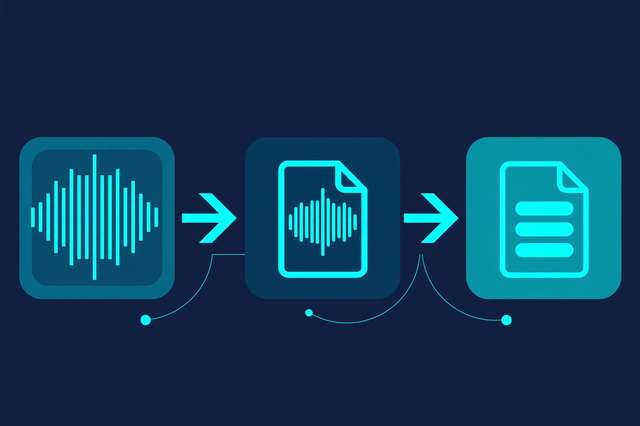
You open a folder of audio files and see MP3, WAV, FLAC, AAC, OGG — a alphabet soup of extensions, and no obvious answer for which one you should keep, convert, or share. Pick wrong and you either waste gigabytes of storage or quietly degrade your audio quality. The good news: the whole landscape reduces to three categories — lossy, uncompressed, and lossless — and once you understand them, every decision gets easy.
This guide breaks down each format family in plain language, explains bitrates without the jargon, and shows you exactly when to use which format. You’ll also get a step-by-step walkthrough for converting audio free online with our audio format converter, plus the one quality rule that saves people from ruining their files.
Lossy formats: MP3, AAC, and OGG/Opus
Lossy formats are the formats of the streaming and sharing world. They work by “perceptual coding”: the encoder analyzes the sound and permanently throws away audio detail that human ears are least likely to notice — quiet tones masked by loud ones, frequencies at the edge of hearing, and so on. The result is a dramatically smaller file, at the cost of detail that can never be recovered.
- MP3 is the universal standard. Nearly every device, player, car stereo, and editing program supports it. It is the safe choice when compatibility matters above everything else.
- AAC is MP3’s more efficient successor. It delivers comparable quality at smaller file sizes and is the default for YouTube, Apple Music, and most streaming services.
- OGG Vorbis is a free, open-source format with excellent quality-per-megabyte — a favorite of game developers, podcasters, and open-source projects.
- Opus is the newest generation, outstanding for both music and voice, and the backbone of voice calls on apps like WhatsApp and Discord.
Lossy formats are ideal for everyday listening, sharing, uploading, and anywhere file size or bandwidth matters. They are the wrong choice for archival masters and professional editing chains, because each conversion discards more data.
Uncompressed and lossless formats: WAV and FLAC
Uncompressed formats store every sample exactly as recorded, with zero compromise:
- WAV is the industry standard for raw audio. A CD-quality WAV (44.1 kHz, 16-bit stereo) runs about 10 MB per minute. That fidelity makes it the default for recording, mixing, and mastering.
- FLAC is lossless compression: bit-for-bit identical to the original WAV, but squeezed to roughly 50–60% of the size using techniques similar to ZIP. Nothing audible is lost — it is a mathematically perfect reconstruction.
Think of it this way: WAV is the raw canvas, FLAC is the canvas rolled up tight for storage, and MP3 is a photograph of the canvas — smaller, but with some detail lost forever.
Bitrates explained: the one number that matters for lossy audio
Bitrate is the amount of data used per second of audio, measured in kilobits per second (kbps). Higher bitrate means less discarded detail and better quality — but also bigger files. Here is a practical reference for MP3:
| Bitrate | Quality level | File size (per minute) | Best for |
|---|---|---|---|
| 64 kbps | Low, phone-call quality | ~0.5 MB | Voice notes, previews |
| 128 kbps | Decent, basic streaming | ~1 MB | Casual listening, podcasts |
| 192 kbps | High, most listeners satisfied | ~1.4 MB | General music libraries |
| 256 kbps | Very high | ~1.9 MB | Quality-focused listening |
| 320 kbps | Near-transparent | ~2.4 MB | Best MP3 possible |
Two notes: lossless formats don’t use fixed bitrates — their data rate varies with the audio’s complexity. And a 320 kbps MP3 is still lossy; it just discards detail very carefully.
When to use each format
The right format depends entirely on what you’re doing with the file:
- Archiving your music collection or master recordings — Use FLAC (or keep the original WAV). This is the one time storage cost is worth it, because you can convert to any other format later without compounding losses.
- Recording, editing, or mixing — Use WAV (or FLAC). Editing software works best with uncompressed or lossless sources, and every effect chain degrades lossy sources more.
- Streaming and daily listening — Use AAC or high-bitrate MP3. At 256–320 kbps, the quality difference from lossless is negligible on most equipment.
- Sharing files or uploading to the web — Use MP3 for maximum compatibility or OGG/Opus for better efficiency where the platform supports it.
- Voice: podcasts, audiobooks, voice notes — Use MP3 at 64–128 kbps or Opus. Speech needs far less data than music, so small files sound perfectly fine.
- Game development and open-source projects — Use OGG Vorbis. It is royalty-free, efficient, and supported by every major game engine.
How to convert audio files free online (step by step)
Converting between formats is simple with the audio format converter. It runs entirely in your browser, so your files never leave your device — nothing is uploaded to a server.
- Open the converter and drag your audio file into the upload area (or click to browse).
- Choose your target format from the list: MP3, WAV, FLAC, AAC, or OGG, depending on your goal above.
- Set the quality if the option appears — pick 320 kbps MP3 for best lossy quality, or keep lossless settings for FLAC/WAV.
- Click convert and wait a few seconds while the file is processed locally.
- Download the result and give it a quick listen before deleting the original.
The whole process takes under a minute for most files.
The golden rule: never re-convert lossy to lossy
This is the single most important thing in this guide. Converting WAV → MP3 loses some detail once. But converting MP3 → OGG or MP3 → AAC throws away detail twice — the second encoder re-compresses an already-compressed file, degrading quality further with each generation.
The rule of thumb:
- Lossless → anything: safe. FLAC or WAV converts cleanly to MP3, AAC, or OGG with only the normal one-time lossy compression.
- Lossy → same format, same bitrate: safe enough — the file is typically copied without re-encoding.
- Lossy → different lossy format: avoid if possible. It stacks compression artifacts.
- Lossy → lossless (MP3 → FLAC): pointless but harmless. The file gets bigger with zero quality gain, because the lost detail cannot be reconstructed.
Always keep your highest-quality original — ideally a FLAC or WAV — and generate every other format from that master copy. If you only have the MP3, keep it as an MP3 rather than “upgrading” it to a bigger file.
Frequently asked questions
What is the difference between MP3, WAV, and FLAC? MP3 is lossy compressed (small files, some quality lost), WAV is uncompressed (perfect quality, huge files), and FLAC is lossless compressed (perfect quality at about half the size of WAV).
Can you hear the difference between MP3 and FLAC? On good equipment, FLAC can sound cleaner than low-bitrate MP3. Between 320 kbps MP3 and FLAC, most listeners can’t hear a difference in casual listening.
Does converting MP3 to FLAC improve quality? No. Conversion cannot recover audio detail that lossy compression discarded. The FLAC will be larger but will sound exactly like the MP3 it came from.
What bitrate should I use when converting audio? Use 192–256 kbps MP3 for everyday music, 320 kbps for best MP3 quality, and 64–128 kbps for voice-only content. For anything you plan to edit or archive, keep a lossless FLAC or WAV original instead.
Keep reading
How to Convert Any Video Format to Audio Online (Free)
Extract audio from any video free. Learn when to convert video to audio, how to pick M4A, MP3, OGG, or WAV, and the fastest online steps.
Read more →
How to Convert MP3 to OGG Online Free (No Signup)
Convert MP3 to OGG free online with no signup. Learn why OGG Vorbis beats MP3 for game dev and web audio, plus step-by-step conversion and quality tips.
Read more →
How to Extract Audio from 3GP Videos (Free Converter)
Turn old 3GP phone videos into audio files. Learn how to extract audio from 3GP to M4A or OGG free, right in your browser — no sign-up.
Read more →