How to Convert MP3 to OGG Online Free (No Signup)
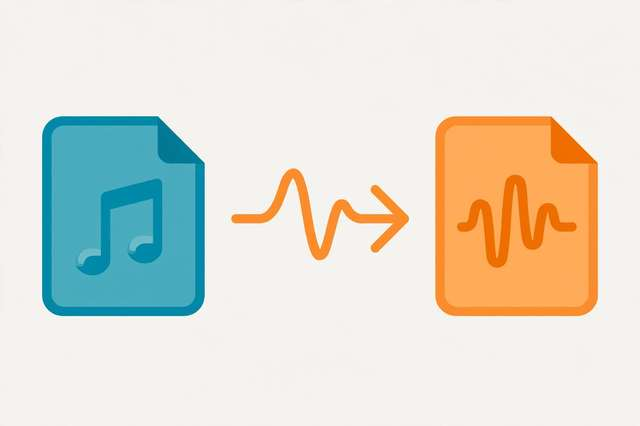
MP3 is everywhere, but it isn’t always the best tool for the job. If you’re building a game, publishing audio on the web, or working with open-source software, OGG Vorbis gives you better sound quality at smaller file sizes — and it costs nothing to switch. Best of all, you can convert MP3 to OGG free online in under a minute, with no signup and no software to install.
This guide explains what makes OGG special, walks you through the conversion step by step, and covers the quality and compatibility details worth knowing before you convert a whole library.
What is OGG Vorbis, and why use it?
OGG is actually the container and Vorbis is the audio codec — together they’re usually just called “OGG.” Three things make the format worth your attention:
- Open and royalty-free. Unlike MP3 (which was patent-encumbered for years), OGG Vorbis has always been free for anyone to use. No licensing fees, no legal gray areas — a big reason game engines and open-source projects adopted it.
- Better quality per megabyte. At the same file size, OGG Vorbis consistently sounds better than MP3. An OGG file at quality level 5 (~160 kbps) typically matches or beats a 192 kbps MP3, so your files can be smaller without sounding worse.
- Great for looping and streaming. OGG handles seamless audio loops cleanly, which is why game developers love it for background music and sound effects. It’s also a native format for HTML5 web audio in Firefox and Chrome.
The trade-off is compatibility: Apple devices, iTunes, and many car stereos don’t play OGG natively. If your audience listens on iPhones or older hardware, MP3 or AAC remains the safer choice.
When OGG beats MP3
Converting to OGG makes the most sense in these situations:
- Game development — Unity, Unreal, and Godot all support OGG natively. Smaller files mean faster downloads and lower memory use.
- Web audio and podcasts — browsers play OGG natively, and the smaller sizes keep pages loading fast.
- Open-source projects — OGG’s royalty-free nature keeps your project legally clean.
- Personal archiving of lossy audio — if you need to shrink an MP3 collection further, OGG does it more gracefully than re-encoding to a lower-bitrate MP3.
- Linux and Android workflows — OGG support is universal across Linux and solid on Android.
For sharing music with friends, uploading to mainstream platforms, or anything targeting Apple devices, stick with MP3 or AAC instead.
How to convert MP3 to OGG online: step by step
Our MP3 to OGG converter runs entirely in your browser — your files are processed locally on your device and never uploaded to any server. That means it’s private by design and works even on slow connections.
- Open the converter at the link above. There’s no signup, no account, and no download.
- Upload your MP3 file. Drag and drop it onto the page or click the upload area to browse your files.
- Choose your quality setting. OGG uses a quality scale from 0 to 10 rather than fixed bitrates:
- Quality 3 (~112 kbps) — fine for voice and casual listening
- Quality 5 (~160 kbps) — the sweet spot for music, comparable to high-bitrate MP3
- Quality 7 (~224 kbps) — excellent, near-transparent for most listeners
- Quality 10 (~500 kbps) — maximum, overkill for files sourced from MP3
- Click convert and wait a few seconds while your browser encodes the file.
- Download your OGG file. Give it a quick listen, then check the file size — you’ll typically see it come in smaller than the original MP3 at equal quality.
That’s it. The whole process usually takes less than a minute per file.
Understanding OGG quality levels
OGG Vorbis doesn’t use fixed bitrates like MP3. Instead, you pick a quality level and the encoder varies the bitrate moment by moment to hit that quality target. This “variable bitrate by design” approach is more efficient: simple passages get fewer bits, complex passages get more.
| Quality level | Approx. bitrate | Sounds like | Best for |
|---|---|---|---|
| 0–2 | 64–96 kbps | Voice quality | Spoken word, previews |
| 3–4 | 112–128 kbps | Good | Podcasts, casual music |
| 5–6 | 160–192 kbps | Very good | General music libraries |
| 7–8 | 224–256 kbps | Excellent | Quality-focused listening |
| 9–10 | 320–500 kbps | Maximum | Archival encodes from lossless |
A practical tip: if your source is an MP3, don’t bother going above quality 6 or 7. The source file already lost detail during its original MP3 encoding, and higher OGG settings just make bigger files without audible improvement.
The quality caution: lossy to lossy
Here’s the honest technical caveat. MP3 and OGG are both lossy formats — each one permanently discards audio detail to shrink the file. Converting MP3 → OGG means the audio gets compressed twice, and the second pass works from an already-degraded source.
In practice, at sensible quality settings (OGG quality 5+), the additional loss is tiny and most listeners won’t notice it. But two rules keep you safe:
- Always convert from the best source you have. If you own the original WAV, FLAC, or CD, convert from that instead of the MP3. Lossless → OGG is a clean, single-generation conversion.
- Don’t convert back and forth. MP3 → OGG → MP3 stacks three rounds of compression and the damage becomes audible. Pick your target format and convert once.
Also note that converting MP3 to OGG will not make it sound better than the original MP3 — no conversion can restore discarded detail. The win is smaller files at equal quality, plus OGG’s open format advantages.
Privacy: your files never leave your device
Many “free” online converters upload your files to a remote server, process them there, and keep copies for who-knows-how-long. Our converter works differently: it uses your browser’s built-in audio processing to encode the file locally. Your audio never travels over the network, nothing is stored, and nothing can leak. That’s especially reassuring if you’re converting unreleased music, client work, or voice recordings.
Frequently asked questions
What is OGG Vorbis? OGG Vorbis is a free, open-source, royalty-free audio format that delivers better quality than MP3 at the same file size. It’s the standard choice for game audio, web audio, and open-source projects.
Is converting MP3 to OGG free? Yes. Our converter is completely free with no signup, no watermarks, and no software to install. It processes files locally in your browser, so it’s also private.
Does converting MP3 to OGG reduce quality? Slightly, because both formats are lossy and the audio gets compressed twice. At reasonable quality settings the difference is inaudible to most listeners. Converting from a lossless original (WAV/FLAC) avoids the issue entirely.
What plays OGG files? VLC, Firefox, Chrome, Spotify, Android, and all major game engines support OGG. Apple devices (iPhone, iTunes) and many car stereos do not — use MP3 or AAC for those.
Keep reading
Audio Converter Guide: MP3 vs WAV vs FLAC — Which Format Should You Use?
Confused by MP3 vs WAV vs FLAC? This guide explains lossy vs lossless audio formats, bitrates, when to use each, and how to convert audio free online.
Read more →
How to Convert Any Video Format to Audio Online (Free)
Extract audio from any video free. Learn when to convert video to audio, how to pick M4A, MP3, OGG, or WAV, and the fastest online steps.
Read more →
How to Extract Audio from 3GP Videos (Free Converter)
Turn old 3GP phone videos into audio files. Learn how to extract audio from 3GP to M4A or OGG free, right in your browser — no sign-up.
Read more →