TIFF vs PNG: Which Image Format Should You Use?
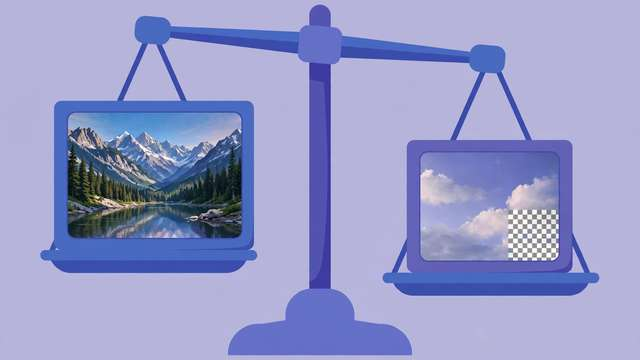
TIFF and PNG are the two heavyweights of lossless image formats — both preserve every pixel perfectly, yet they were built for completely different jobs. Pick the wrong one and you end up with files too big to share, transparency that vanishes, or a print shop rejecting your upload. Pick the right one and everything just works.
This guide breaks down exactly how TIFF and PNG differ in quality, file size, transparency, and real-world use cases, so you can choose confidently every time.
TIFF vs PNG at a glance
| Feature | TIFF | PNG |
|---|---|---|
| Compression | None or lossless | Lossless (efficient) |
| Typical file size | Very large | Moderate |
| Transparency | Supported | Supported (full alpha) |
| Max bit depth | 16-bit+ per channel | 16-bit per channel |
| Layers / multiple pages | Yes | No |
| Color modes | RGB, CMYK, grayscale, more | RGB, grayscale |
| Web browser support | Poor | Universal |
| Best for | Print, archiving, editing masters | Web graphics, screenshots, logos |
The short version: TIFF is the professional archive and print format; PNG is the everyday lossless format for screens. Now let’s look at why.
Key differences explained
Compression and file size. This is the most practical difference. An uncompressed TIFF stores every pixel’s raw values, so a photo that is 2 MB as a PNG can easily be 30 MB as a TIFF — with literally zero visible difference between them. PNG’s compression (based on the DEFLATE algorithm with smart filtering) squeezes the same lossless data far more efficiently. If you need lossless quality without the storage pain, PNG wins outright.
Bit depth and color. TIFF supports 16-bit and even 32-bit per channel, plus CMYK for commercial printing — capabilities PNG partially matches (PNG supports 16-bit grayscale/RGB) but never in CMYK. For photographers doing heavy color grading or designers preparing files for a print shop, TIFF’s headroom matters. For everyone else, 8-bit PNG is indistinguishable.
Transparency. Both support it, but PNG does it better for screen use: full alpha-channel transparency in a format every browser, app, and operating system reads natively. TIFF transparency works but is poorly supported outside professional software — a transparent TIFF opened in a random viewer may render with a black or white background.
Features beyond the pixels. TIFF is really a container: it can hold multiple pages (scanned documents), layers, and extensive metadata. PNG holds one flat image. That container power is why scanners and fax systems love TIFF — and why it is overkill for a website logo.
Compatibility. PNG opens everywhere: browsers, phones, chat apps, game engines, office software. TIFF opens reliably only in image editors and professional tools. If a human needs to view the file without special software, PNG is the safe choice.
When to use TIFF
Reach for TIFF when quality headroom and professional workflows matter more than file size:
- Professional printing. Print shops and prepress workflows expect TIFF, especially in CMYK. If a printer asks for a file, send TIFF.
- Archiving masters. Your final, edited photograph or scan deserves a lossless master. TIFF (or a layered working file) preserves everything for future edits.
- Heavy editing. If you will push exposure, color, and gradients hard in post-processing, 16-bit TIFF gives you more data to work with before banding appears.
- Multi-page scans. A single TIFF can hold an entire scanned document — handy for archival scanning workflows.
When to use PNG
PNG is the right call for anything destined for a screen:
- Web graphics and UI. Logos, icons, illustrations, and interface elements — PNG’s crisp edges and transparency are made for this.
- Screenshots. PNG captures pixel-perfect screenshots without the smudging that JPG introduces around text.
- Images with transparency. Need a cutout, watermark, or overlay? PNG’s alpha channel is universally supported.
- Everyday lossless sharing. When you want perfect quality in a file that will not choke an email attachment, PNG beats TIFF by an order of magnitude in size.
- Game and app assets. Sprites, textures with alpha, and UI art are PNG territory.
Converting between TIFF and PNG
Switching formats is lossless in both directions — no quality is lost either way, because neither format discards pixel data. That makes conversion a pure logistics decision: shrink a TIFF for sharing, or expand a PNG into a print workflow.
To convert a TIFF to PNG in seconds, use our free TIFF to PNG converter — it runs entirely in your browser, so your files never leave your device. The process is simple: drop in the TIFF, convert, and download the PNG. Going the other direction (PNG to TIFF) is equally straightforward in free desktop tools like GIMP via File > Export As.
One caution: converting PNG to TIFF inflates the file dramatically with no quality gain. Only do it when a specific workflow — like a print shop’s requirements — demands a TIFF.
The bottom line
Think of it as a simple decision tree. Is the image headed for professional print, long-term archiving, or intense editing? Use TIFF. Is it headed for a screen, the web, or another person? Use PNG. Both are lossless, so you are never sacrificing visible quality either way — you are just choosing the right container for the job.
When in doubt, keep a TIFF master for yourself and export a PNG (or JPG) for everyone else. That two-file habit gives you the best of both worlds: maximum fidelity in the archive, maximum compatibility in the wild.
Frequently asked questions
Which is better quality, TIFF or PNG?
TIFF has the higher ceiling — it supports greater bit depth, layers, CMYK color, and multiple pages. But PNG is also fully lossless, so at standard 8-bit depth a PNG and a TIFF of the same image are pixel-for-pixel identical. For screen use, there is no visible quality difference.
Is PNG smaller than TIFF?
Almost always, and by a lot. PNG’s efficient lossless compression typically produces files 3–10x smaller than an uncompressed TIFF of the same image, with zero quality loss. Convert with our free TIFF to PNG converter to see the difference.
Should I use TIFF or PNG for printing?
Use TIFF for professional print work — print shops expect it, and it supports CMYK color and 16-bit depth. For home printing or online print services, a high-quality PNG is usually accepted and looks identical.
Can I convert TIFF to PNG without losing quality?
Yes. Both formats are lossless, so converting TIFF to PNG preserves every pixel exactly — the smaller file is pure compression efficiency, not discarded data. Our free TIFF to PNG converter does it in your browser in seconds.
Keep reading

How to Check Text Similarity Online Free (Plagiarism Basics)
Learn how to check text similarity online for free: how similarity checkers work, what your score means, and the exact steps to fix overlapping text.
Read more →
How to Combine Keywords Into Long-Tail Lists in Seconds (Free Tool)
Turn a handful of seed keywords into a long-tail keyword list in seconds. Learn the combining method, power modifiers, and how to clean the list.
Read more →
How to Compress a PDF to 500KB Online Free
Shrink any PDF down to 500KB for uploads and applications. Why PDFs get bloated, what survives compression, and a free in-browser tool.
Read more →