Text to Hex Converter: How Hex Encoding Works (With Examples)
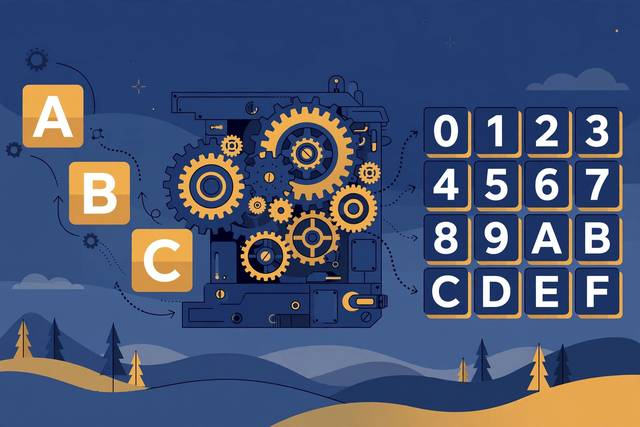
You will find hexadecimal everywhere in computing: color codes like #FF5733, memory addresses, network packets, file signatures, and cryptographic hashes. Underneath it all is a simple idea — writing bytes as pairs of digits from 0-9 and A-F. Text to hex conversion is the most basic form of that idea: take each character, look up its byte value, and write that value in hexadecimal. The result looks cryptic, but it is perfectly reversible and completely transparent once you know the trick. This guide explains how hex encoding works, walks through real examples, shows where developers actually use it, and clears up the biggest misconception of all.
What hex encoding actually is
Computers store everything as bytes — numbers from 0 to 255. Hexadecimal is base-16 notation for writing those numbers compactly: the digits 0-9 followed by A-F (where A=10, B=11, up to F=15). Each byte becomes exactly two hex digits. The letter H is byte 72, and 72 in hexadecimal is 48. The letter i is byte 105, which is 69 in hex. So the text “Hi” encodes to 4869.
That is the entire mechanism: character → byte value → two hex digits. Decoding is the reverse: split into pairs, convert each pair back to a byte, and read the characters. Nothing is hidden, nothing is secret — it is the same information wearing a different outfit.
Worked examples
“Hello” in hex
Each letter maps to its ASCII byte, then to hex:
| Char | Byte | Hex |
|---|---|---|
| H | 72 | 48 |
| e | 101 | 65 |
| l | 108 | 6C |
| l | 108 | 6C |
| o | 111 | 6F |
Result: 48656C6C6F. Notice the lowercase c and f — hex is case-insensitive, so 48656c6c6f means the same thing.
Beyond plain English
Characters outside ASCII need more than one byte in UTF-8. The emoji 😀 is four bytes: F09F9880. The accented é is two bytes: C3A9. A good converter handles UTF-8 automatically — if yours produces one pair per character for emoji, it is using the wrong encoding.
Try it yourself
Our text to hex converter encodes any text instantly and decodes hex back to text — free, in your browser, no sign-up.
Where developers actually use hex
- Debugging protocols. Network captures and serial data are unreadable as raw bytes; hex dumps make each byte visible and countable.
- File signatures. Every file type starts with magic bytes — a JPEG begins
FFD8FF, a PDF begins25504446(%PDF). Reading the first bytes in hex identifies files regardless of their extension. - Color codes.
#FF5733is three bytes: red=FF, green=57, blue=33. Web colors are hex-encoded RGB, nothing more. - Hashes and checksums. SHA-256 outputs are conventionally displayed as 64 hex characters — that is why hashes look like long hex strings.
- Embedding binary in code. Byte arrays in firmware, test fixtures, and crypto keys are often written as hex literals for precision.
- URL encoding. That
%20in web addresses is just the hex byte for a space.
Hex is not encryption
This is the misconception that causes real damage. Because hex looks scrambled, beginners sometimes use it to “hide” API keys, passwords, or tokens in code and URLs. It hides nothing: anyone who recognizes hex can decode it in seconds, and many will recognize it instantly. Hex is an encoding — a different representation of the same data — while encryption requires a key and is designed to be irreversible without it. If a value must stay secret, encrypt it properly. Hex is for readability, never for security.
Hex vs Base64: which to use
Both turn arbitrary bytes into safe text, but they optimize differently. Hex doubles the size (2 characters per byte) and is easy for humans to read byte-by-byte — ideal for debugging, dumps, and hashes. Base64 grows data by only about 33% and is better for actually transmitting binary data in text channels like email attachments or JSON payloads. Rule of thumb: hex when humans need to read the bytes, Base64 when machines need to carry them.
Once you see hex as “bytes, written two digits at a time,” the mystery evaporates — and every color code, hash, and packet dump starts reading like plain text.
Frequently asked questions
What is hex encoding?
Hex encoding represents each byte of data as two hexadecimal digits (0-9, A-F). The text “Hi” becomes “4869” — one byte per character, two hex digits per byte. It is fully reversible with no information lost.
Is hex encoding the same as encryption?
No. Hex is just a different way of writing the same bytes — anyone can decode it instantly. It provides zero security; never use it to hide passwords, API keys, or secrets. Encryption requires a key and is designed to be irreversible without it.
Why do developers convert text to hex?
To inspect binary data, debug network protocols, write byte-exact test data, embed binary values in code, read file signatures and memory dumps, and display hashes and color codes in human-readable form.
What is the difference between hex and Base64?
Both encode bytes as text, but hex doubles the size (2 chars per byte) while Base64 grows it by only about 33%. Hex is easier for humans to read byte-by-byte; Base64 is better for transmitting data through text channels.
Keep reading

Text to Binary Converter: How Binary Encoding Works
Learn how text becomes binary: bits, bytes, ASCII, and UTF-8 explained, with steps to convert text to binary online and decode binary back to text.
Read more →
What Is Base64 Encoding? How to Encode and Decode It
Base64 encoding explained in plain English: how it works, where you'll meet it (email, images, APIs), and how to encode or decode it free online.
Read more →
Word Counter: How to Count Words in Any Document (7 Free Methods)
Count words in any document fast — 7 free methods for Word, Google Docs, PDFs, and web text, plus the word and character limits that actually matter.
Read more →