Text to Binary Converter: How Binary Encoding Works
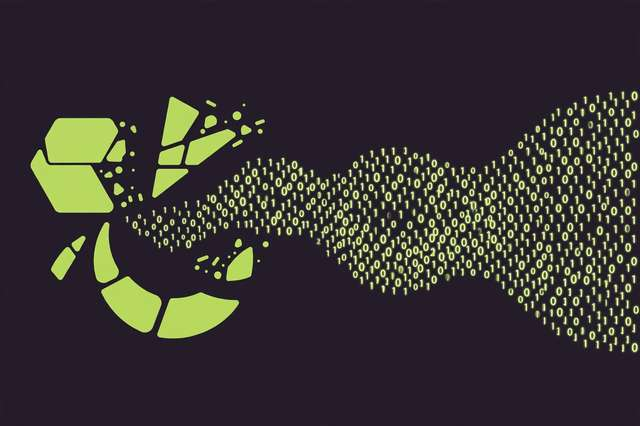
Computers don’t understand letters. Underneath every email, message, and document is a long stream of 0s and 1s — and the bridge between the words you type and the numbers your computer stores is called binary encoding. Once you understand how a simple letter like “A” becomes 01000001, a whole layer of computer science suddenly makes sense.
This guide explains exactly how text becomes binary, the difference between ASCII and UTF-8, and how you can convert text to binary (and back) in seconds with a free online tool.
What Are Bits and Bytes?
A bit is the smallest unit of computer data: a single 0 or 1. On its own, one bit can only represent two values, so computers group bits together. Eight bits form a byte, which can represent 256 different values (2⁸ = 256) — enough room for all the letters, digits, and common symbols.
To turn text into numbers, every character is assigned a numeric code, and that code is written out in binary. The mapping table that defines these codes is called a character encoding.
ASCII vs UTF-8: The Two Encodings You Need to Know
ASCII (American Standard Code for Information Interchange) is the original encoding. It assigns codes 0–127 to English letters, digits, punctuation, and control characters. For example:
| Character | Decimal | Binary |
|---|---|---|
| A | 65 | 01000001 |
| a | 97 | 01100001 |
| 0 | 48 | 00110000 |
| ! | 33 | 00100001 |
| (space) | 32 | 00100000 |
Notice that uppercase and lowercase letters have different codes, and digits don’t start at 0 — the character “0” is code 48, not the number zero.
UTF-8 is the modern standard the web uses. It’s backward compatible with ASCII for the first 128 characters, but extends beyond them: accented letters take 2 bytes, and emoji like 😀 take 4 bytes (11110000 10011111 10011000 10000000). When you encode emoji or non-English text to binary, you’ll see longer output — that’s UTF-8 doing its job.
How to Convert Text to Binary Online
You don’t need to look up codes by hand. Here’s the fastest way:
- Open a text to binary converter — try the free text to binary converter.
- Type or paste your text into the input box. The tool reads each character and looks up its binary code.
- Copy the binary output — each character appears as an 8-bit group, separated by spaces for readability.
- Paste it anywhere — homework, a puzzle solution, a code comment, or a chat message.
Most converters also let you reverse the process: paste binary in and get text back. That’s handy for decoding, which brings us to…
How to Decode Binary Back to Text
Decoding reverses the steps:
- Split the binary into 8-bit chunks. The string
0100100001101001becomes01001000and01101001. - Convert each chunk to decimal.
01001000= 72,01101001= 105. - Look up each number in the ASCII table. 72 = H, 105 = i. So
0100100001101001spells “Hi”.
Online tools handle this in one click, which is a lifesaver when you’re decoding a long string.
Example Conversions Table
Here are some common words and phrases in binary:
| Text | Binary |
|---|---|
| Hi | 01001000 01101001 |
| Hello | 01001000 01100101 01101100 01101100 01101111 |
| OK | 01001111 01001011 |
| 123 | 00110001 00110010 00110011 |
| Yes! | 01011001 01100101 01110011 00100001 |
| ABC | 01000001 01000010 01000011 |
| a | 01100001 |
Try a fun exercise: encode your name, then decode a friend’s encoded message back. It’s a great way to build intuition for how encodings work.
Practical Uses of Text-to-Binary Conversion
Binary conversion isn’t just a classroom exercise. Here are real situations where it comes in handy:
- Learning computer science — encoding is one of the first concepts in CS101, and seeing your own words as binary makes it click.
- Debugging — when text looks corrupted or garbled, converting it to binary helps you spot encoding mismatches (like a file saved as UTF-8 but read as Latin-1).
- CTF challenges and puzzles — capture-the-flag competitions and puzzle hunts frequently hide messages in binary strings.
- Fun ciphers and secret messages — binary looks like gibberish to anyone who doesn’t know the trick, making it a simple way to send playful coded notes.
- Low-level programming — embedded systems and networking code sometimes requires thinking at the bit level.
Frequently asked questions
What is binary encoding?
Binary encoding is the process of representing text characters as sequences of 0s and 1s so computers can store and process them. Each character maps to a specific binary code defined by standards like ASCII or UTF-8.
How do I convert text to binary online?
Paste or type your text into a text to binary converter, and it will instantly show the binary representation of each character. You can then copy the result for use in homework, debugging, or puzzles.
How do I decode binary back to text?
A binary decoder reverses the process: it splits the binary into 8-bit chunks, looks up each chunk in the ASCII or UTF-8 table, and displays the matching characters.
How many bits are in a byte?
A byte is 8 bits. Standard ASCII characters each take up exactly one byte, while UTF-8 characters can use one to four bytes depending on the character.
Keep reading

Word Counter: How to Count Words in Any Document (7 Free Methods)
Count words in any document fast — 7 free methods for Word, Google Docs, PDFs, and web text, plus the word and character limits that actually matter.
Read more →
How to Change Text Case in Word, Google Docs & Online (Fast Methods)
Change text case in Word, Google Docs, or free online in seconds — uppercase, lowercase, title case, camelCase and more, step by step.
Read more →
Alabama Income Tax 2026: Brackets, Rates, and Free Calculator
Alabama income tax for 2026: illustrative brackets and rates, deductions, credits, a calculation example, and a free calculator.
Read more →