How to Convert M4A to MP3 Online Free
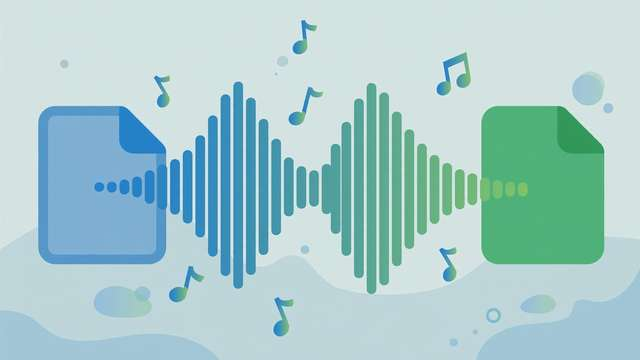
M4A is Apple’s favorite audio format — it is what you get from voice memos, iTunes purchases, and many screen recordings. MP3 is everybody’s format: it plays on everything from a 2008 car stereo to the latest smart speaker. When an M4A file refuses to play somewhere, converting it to MP3 is the fix.
Here is how to do it free, online, in under a minute.
M4A vs MP3: what is actually different
Both are compressed (“lossy”) audio formats, but they use different codecs:
- M4A usually contains AAC audio. It is efficient — roughly equal quality to MP3 at a slightly lower bitrate — and it is the default on Apple devices.
- MP3 is the universal standard. Nearly every player, editor, car system, and website supports it, including hardware that predates M4A entirely.
For archiving, keep the original M4A. For sharing, uploading, or playing on unknown devices, MP3 is the safer container.
How to convert M4A to MP3 online (30 seconds)
- Open our free audio format converter in your browser.
- Drop in your M4A file — it is processed locally on your device, so nothing uploads to a server.
- Choose MP3 as the output format and pick a bitrate: 128 kbps for voice/small files, 192 kbps for general music, 320 kbps for maximum quality.
- Hit convert and download your MP3.
That is the whole process. No account, no watermark, no file-size games. Your original M4A stays untouched on your device, so you can always reconvert at a different bitrate later if your needs change.
Where M4A files come from (and why they pile up)
M4A shows up in more places than most people realize: iPhone Voice Memos save as M4A, many screen recorders default to it, WhatsApp voice notes use a variant, and older iTunes purchases are M4A. That is why collections of “unplayable” files accumulate — each app chose M4A as its default, and each device you move to is slightly less Apple-centric than the last. Converting the stragglers to MP3 as you encounter them keeps the library universally playable.
Choosing the right bitrate
Bitrate is the main quality lever:
- 128 kbps: fine for podcasts, lectures, and voice memos. Small files, perfectly clear speech.
- 192 kbps: the sweet spot for music sharing — good quality at a reasonable size.
- 256–320 kbps: near-transparent quality for critical listening or DJ sets.
One rule: never upscale. Converting a 128 kbps M4A to 320 kbps MP3 does not add quality — it just makes a bigger file. Match or stay below the source’s bitrate.
Batch converting a music library
Converting one file is easy; converting 500 is a workflow question:
- Organize first. Put all M4As in one folder so you can work through them systematically.
- Use consistent settings. Pick one bitrate (192 kbps is the sensible default) and apply it to everything.
- Keep the originals. Store the M4A masters in a backup folder. If a better format comes along in five years, you will want to convert from the original, not from an MP3-of-an-MP3.
- Check tags. MP3 uses ID3 tags for artist/title/album. Good converters preserve metadata — verify one file before doing the batch.
When NOT to convert
- For professional audio work, convert M4A to WAV or FLAC (lossless) instead — every lossy-to-lossy conversion degrades the audio slightly, and studios notice.
- For iPhone ringtones, keep M4A — iOS ringtones are just renamed M4A files (.m4r).
- If the file already plays everywhere you need it, do not convert at all. Transcoding without a reason only loses quality.
Frequently asked questions
Is M4A better quality than MP3? At the same bitrate, M4A (AAC) is slightly more efficient than MP3, but a 256 kbps MP3 is transparent to most ears. MP3 wins on universal compatibility.
Will converting M4A to MP3 lose quality? Both are lossy formats, so one transcode loses a tiny amount of data. At 256–320 kbps the difference is inaudible for everyday listening.
Why convert M4A to MP3 at all? Compatibility. MP3 plays on virtually every device and app ever made, while M4A can fail on older car stereos, DJ gear, and some Android apps.
Is it safe to convert audio in a browser? With a client-side converter, yes — the file never leaves your device. Avoid upload-based converters for private recordings.
Keep reading
How to Convert MP4 to MOV Online Free
Convert MP4 to MOV free for Apple workflows — Final Cut Pro, iMovie and QuickTime. Methods, settings, and when MOV actually matters.
Read more →
How to Convert UTC to Local Time (Free Tool + Guide)
Convert UTC to local time instantly: understand UTC offsets, daylight saving traps, and use our free time zone converter for any city on earth.
Read more →
How to Make an MP3 Loop Seamlessly Online (Free)
Make an MP3 loop seamlessly online free: zero-crossing edits, crossfade looping, and beat matching — the techniques that kill clicks and gaps.
Read more →