Audio Normalization and LUFS Explained: The Free Guide to Perfect Loudness
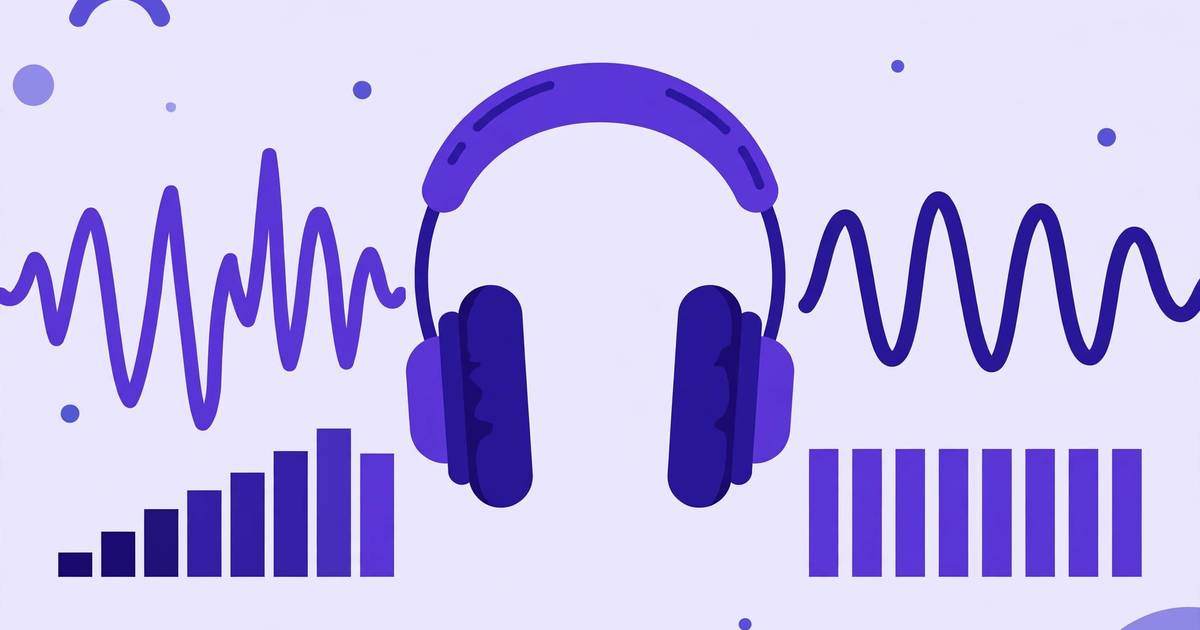
Ever noticed how one YouTube video blasts your ears while the next is whisper-quiet — even at the same volume setting? That’s a loudness problem, and there’s a precise science for fixing it: LUFS normalization.
Whether you make videos, podcasts, or music, understanding LUFS is the difference between amateur-sounding audio and audio that sits perfectly alongside professional content on every platform. Here’s the complete free guide.
What LUFS Actually Measures
LUFS stands for Loudness Units relative to Full Scale. It’s a measurement of perceived loudness — how loud something sounds to a human — rather than raw electrical level.
Why the distinction matters: a heavily compressed rock song and a quiet classical recording can have identical peak levels (both hitting 0 dB), yet one sounds twice as loud. Old-school peak normalization only looks at the single loudest instant; LUFS analyzes the whole signal the way your ears do, accounting for how humans hear different frequencies.
Three LUFS numbers matter:
- Integrated LUFS: the average loudness of the entire file — the number platforms target.
- Short-term / Momentary LUFS: loudness over the last 3 seconds / 400 milliseconds — useful while mixing.
- True Peak (dBTP): the actual peak level including between-sample peaks — keep this below -1 dBTP to avoid distortion after encoding.
Platform Loudness Targets (2026)
Every major platform normalizes uploads to its own target. If your audio is louder, they turn it down; quieter, they turn it up (which can expose noise). Mastering to the target means your audio plays back exactly as you mixed it:
| Platform | Target (integrated LUFS) | True peak ceiling |
|---|---|---|
| YouTube | -14 LUFS | -1 dBTP |
| Spotify | -14 LUFS | -1 dBTP |
| Apple Music | -16 LUFS | -1 dBTP |
| Podcasts (general) | -16 LUFS | -1 dBTP |
| Audiobooks (ACX) | -19 LUFS (RMS-based) | -3 dB |
| TV broadcast (US) | -24 LUFS | -2 dBTP |
| Club / DJ playback | -9 to -6 LUFS | -1 dBTP |
The practical takeaway: most creators only need two targets memorized — -14 LUFS for video/music streaming and -16 LUFS for podcasts. Everything else is a specialty case.
Peak vs Loudness Normalization: Don’t Confuse Them
This is the #1 misunderstanding in home audio production:
- Peak normalization (what most free “normalize” buttons do): finds the loudest sample and scales everything so it hits, say, -1 dB. Fast, but it tells you nothing about perceived loudness. A whisper-quiet podcast peak-normalized to -1 dB is still whisper-quiet.
- Loudness normalization (LUFS-based): analyzes perceived loudness and adjusts gain so the integrated loudness hits your target. This is what makes your podcast sit evenly next to professional shows.
If your tool only offers peak normalization, it’s solving the wrong problem for platform delivery.
How to Normalize Audio Free (No DAW Needed)
- Open the free audio loudness normalizer.
- Upload your WAV or MP3.
- Select your target: -14 LUFS for YouTube/music, -16 LUFS for podcasts.
- Set the true-peak ceiling to -1 dBTP.
- Process and download — the tool measures your file’s integrated loudness and applies exactly the right gain adjustment.
The whole thing runs in your browser. For a podcaster or YouTuber without a DAW, this replaces a paid loudness plugin entirely.
Doing it in a DAW (if you have one)
- Audacity (free): use the Loudness Normalization effect (in the Effect menu) set to perceived loudness, -14 or -16 LUFS.
- Reaper / DaVinci Resolve: both include loudness meters — mix while watching integrated LUFS, then normalize on render.
- Adobe Audition / Premiere: the Match Loudness panel targets broadcast and streaming standards directly.
The Loudness Workflow That Pros Use
- Mix at a comfortable level — don’t chase the target while mixing; just make it sound good.
- Measure integrated LUFS and true peak on the finished mix.
- Apply gain to hit the target (this is what normalization does — one gain change, no dynamics processing).
- Check true peak stays under -1 dBTP. If normalization pushed peaks over, add a true-peak limiter as the last step.
- Listen on earbuds and a phone speaker — the two places your audience actually lives.
One caution: normalization only adjusts overall gain. If your mix has wild volume swings (a whispered intro, a shouted outro), fix the dynamics with compression first — normalization can’t make an uneven mix even.
Common LUFS Mistakes
- Mastering everything to -14. A -14 LUFS podcast sounds harsh next to -16 LUFS shows. Match the target to the platform, not a universal number.
- Ignoring true peak. MP3/AAC encoding can push peaks 1–2 dB higher than the WAV. The -1 dBTP ceiling exists precisely for this — skip it and you’ll get subtle distortion on streaming.
- Normalizing each episode to a different target. Pick your show’s target once and use it forever — consistency is what listeners’ ears (and volume knobs) expect.
- Chasing loudness over quality. The loudness war is over — platforms turn everything down to their target anyway. A dynamic -14 LUFS master always beats a crushed -8 LUFS master that gets turned down.
Frequently Asked Questions
What is LUFS in audio? LUFS (Loudness Units relative to Full Scale) is the standard unit for measuring perceived loudness — how loud audio actually sounds to human ears, not just its peak levels. Streaming platforms use LUFS to automatically match loudness across all content.
What LUFS should I master to for YouTube? YouTube normalizes to approximately -14 LUFS. Mastering your video’s audio to -14 LUFS integrated with true peaks below -1 dBTP means YouTube won’t turn your audio up or down, preserving your intended sound.
What is the difference between peak normalization and loudness normalization? Peak normalization raises audio so its loudest instant hits a target (like -1 dB) — but two files with the same peak can sound wildly different in loudness. Loudness (LUFS) normalization matches how loud files actually sound to listeners, which is what platforms and audiences care about.
How can I normalize audio loudness for free? Use a free browser-based loudness normalizer: upload your audio, pick a target (e.g. -14 LUFS for YouTube, -16 for podcasts), and download the normalized file. No DAW or paid plugin needed.
Keep reading

50 Fill-in-the-Blank Podcast Intro Script Templates
50 fill-in-the-blank podcast intro scripts for interview, solo, true crime, business, comedy, and educational shows. Free download included.
Read more →
How to Normalize Audio Volume Online Free (Loudness Explained)
Normalize audio volume online free — what loudness normalization does, LUFS vs peak explained, and a free in-browser audio normalizer tool.
Read more →
100 Blog Introduction Hooks That Keep Readers Reading
100 copy-paste blog introduction hooks that stop the bounce: curiosity openers, story leads, mistake hooks, and bold promises. Free download.
Read more →